

Every Notice Reaches Every Phone
Post a circular once from the office. Residents get it on their phone, and it stays on the board until it expires.
How It Works
- Post It From the Office
- Residents Get It At Once
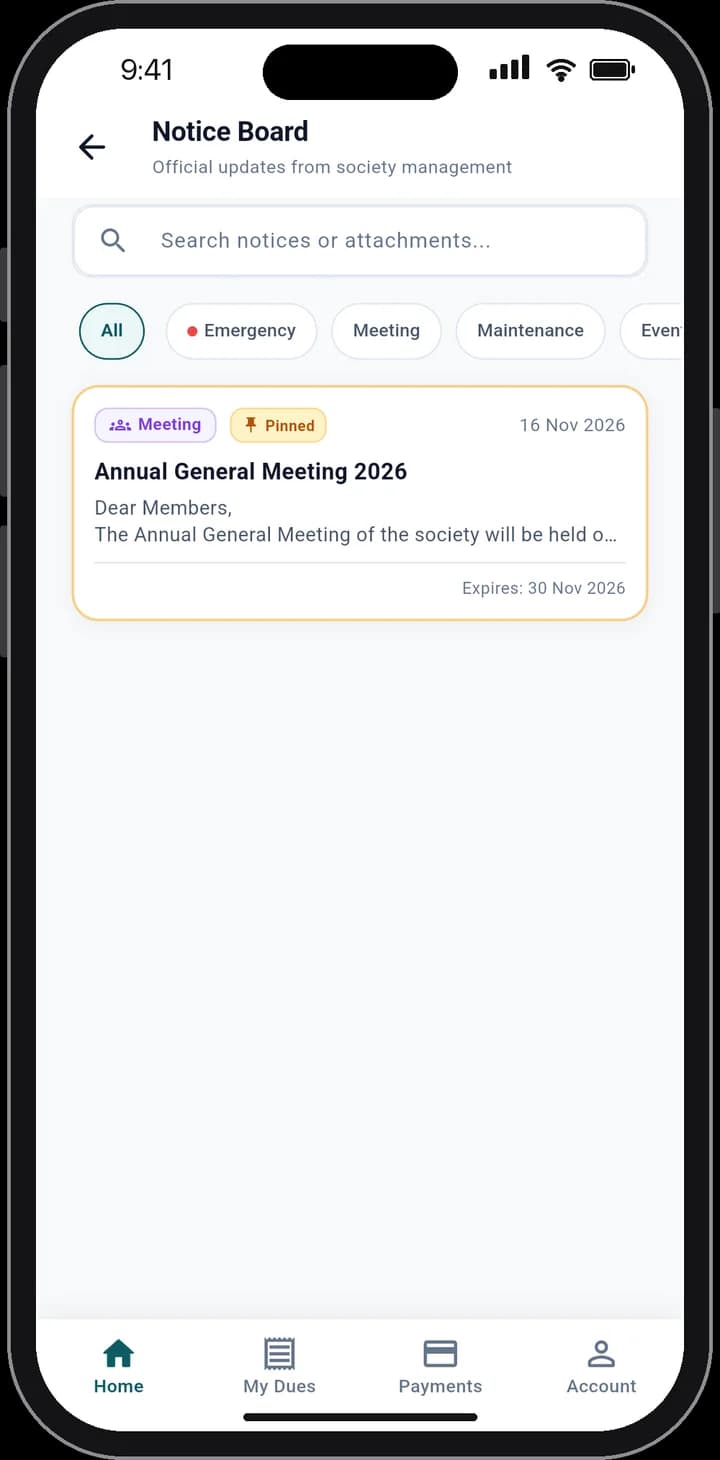
- Read In Full, With the Attachment
01
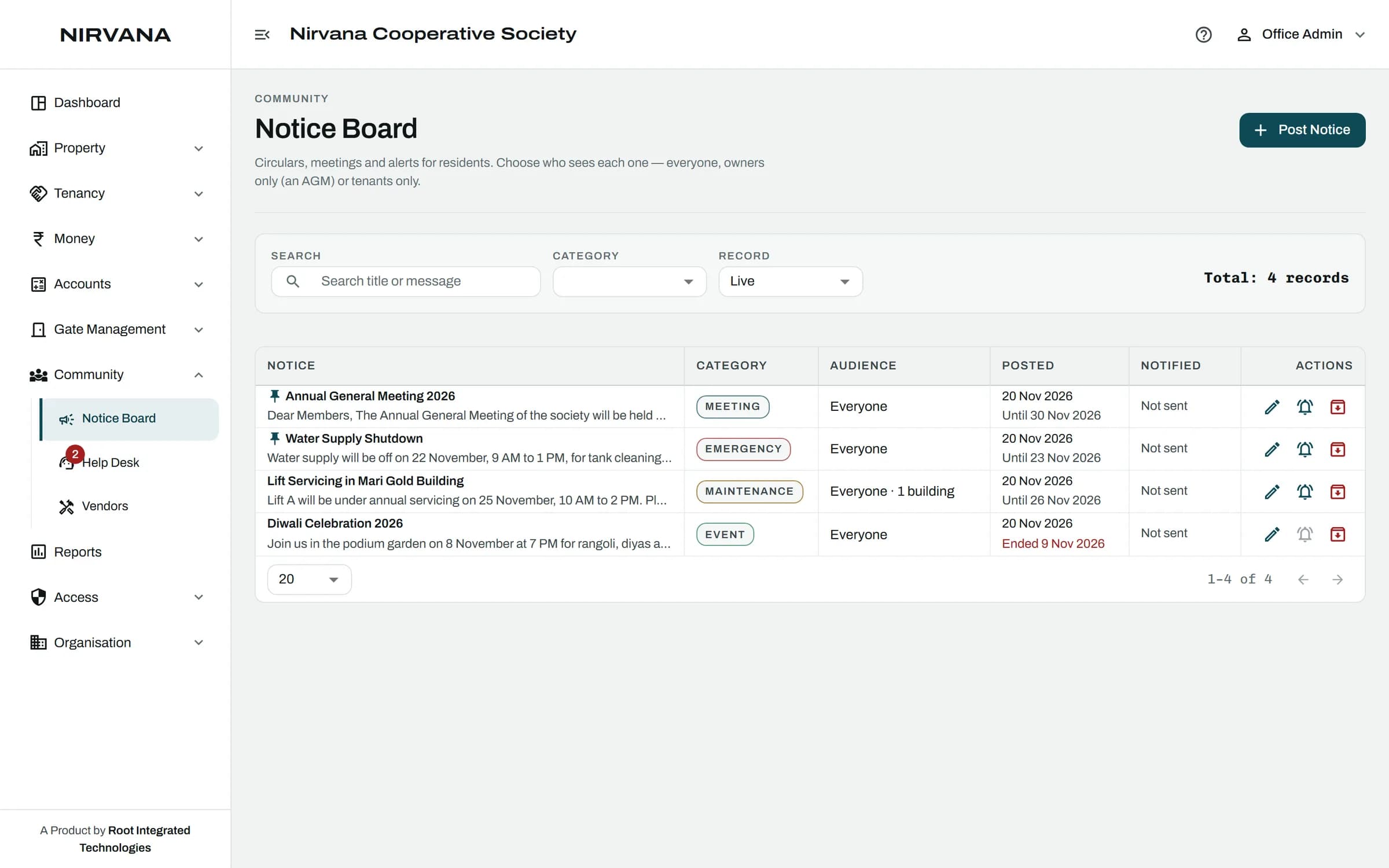
Post It From the Office
Write the notice, pick a category, attach a file, and choose who it is for: everyone, owners, tenants or chosen buildings.
02
Residents Get It At Once
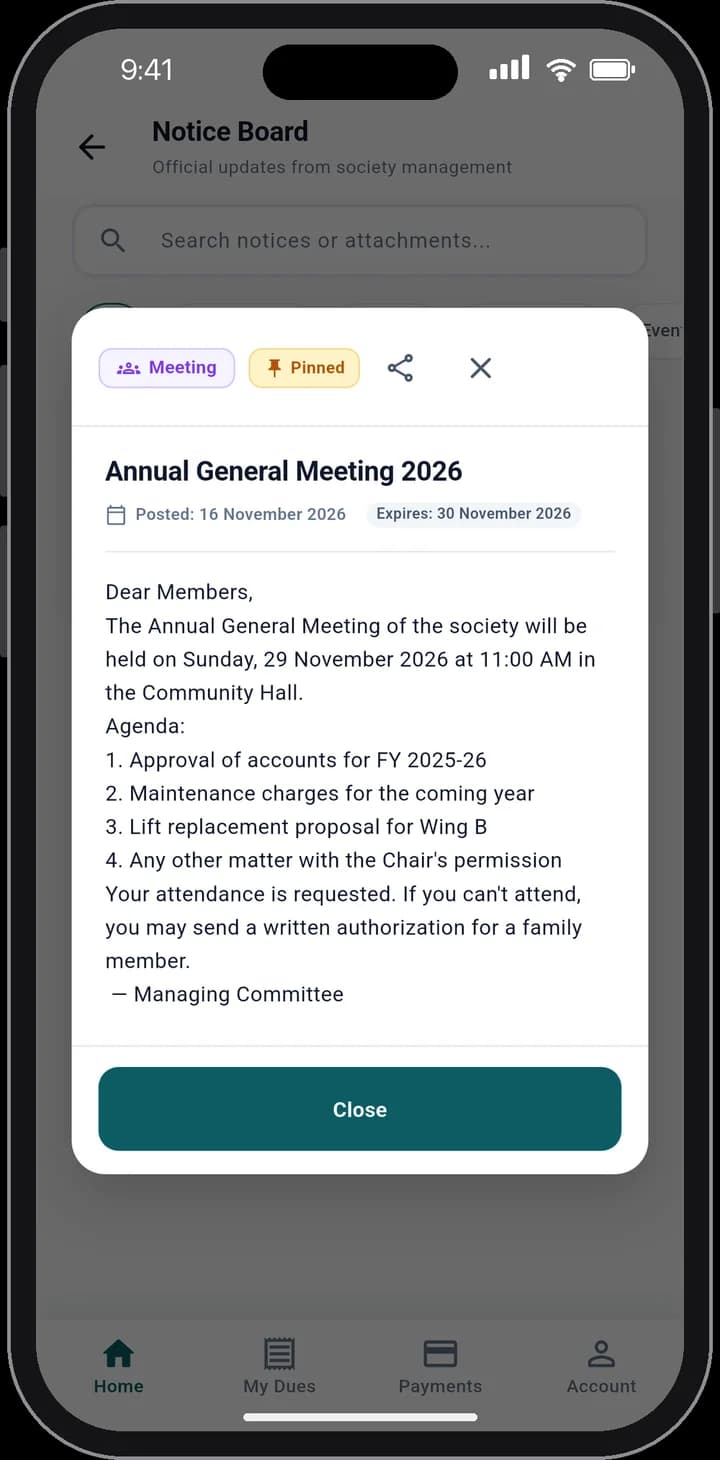
A push notification on posting, if you want one. Pinned and emergency notices stay at the top of the board.
03
Read In Full, With the Attachment
Title, date, how long it is valid, the whole message and any attached file.
The Rules It Handles.
Built for how a society actually runs, so the office does not have to remember them.
Categories: General, Meeting, Maintenance, Event and Emergency
Send to everyone, only owners, only tenants, or chosen buildings
A notice with an expiry date leaves the board by itself
Residents can search notices and filter by category
Notice Board: Questions
Can't find what you are looking for? Talk to us and we will walk you through it.
Yes, if you tick it when posting. You can also send the notification again later.
Yes. Attach a file to the notice and residents open it from the app.
See It With Your Own Society's Data.
A 30-minute walkthrough of your buildings, dues and gate. No obligation.
Book a Free DemoNext Feature
Help Desk