

Residents Decide Who Comes In
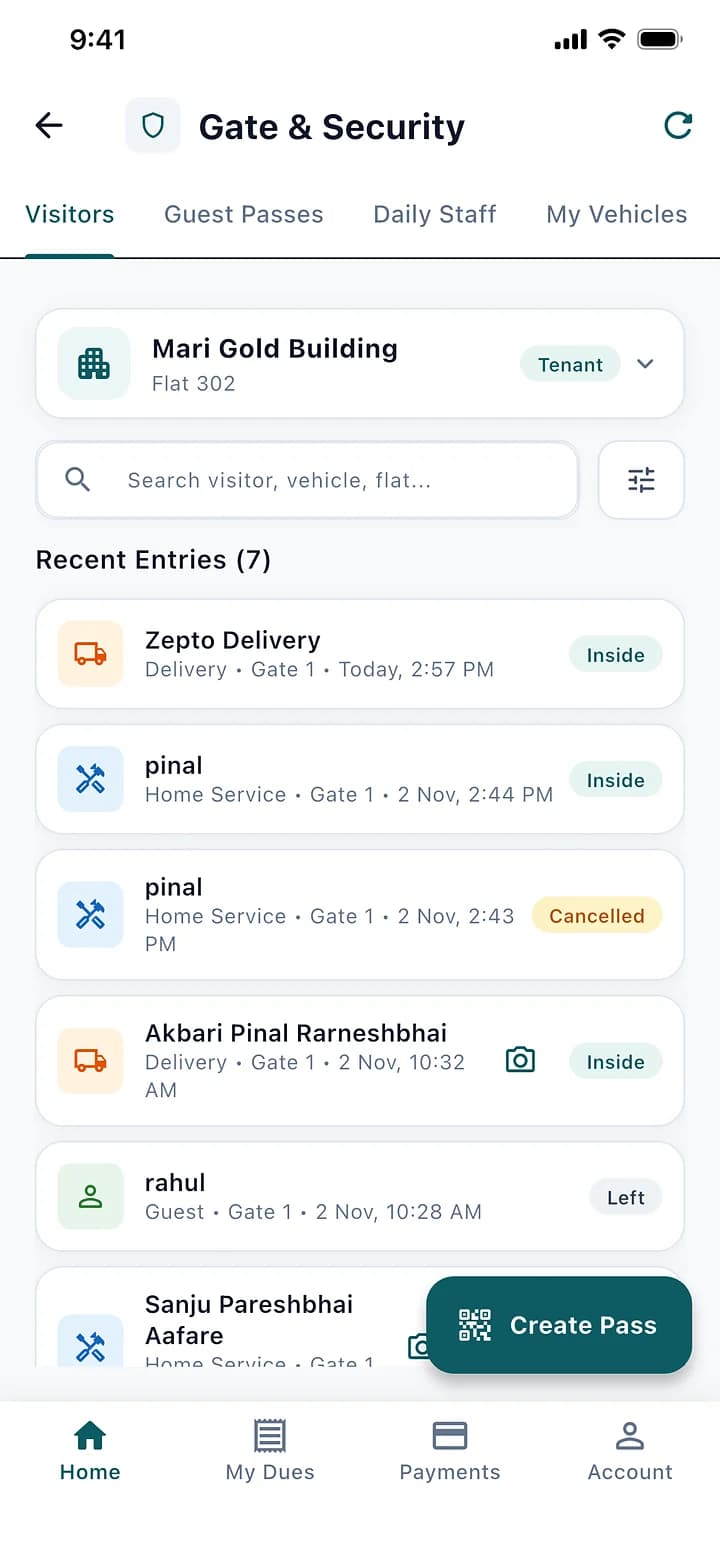
The guard logs the visitor on a phone, and the resident approves it in the app before anyone walks in.
How It Works
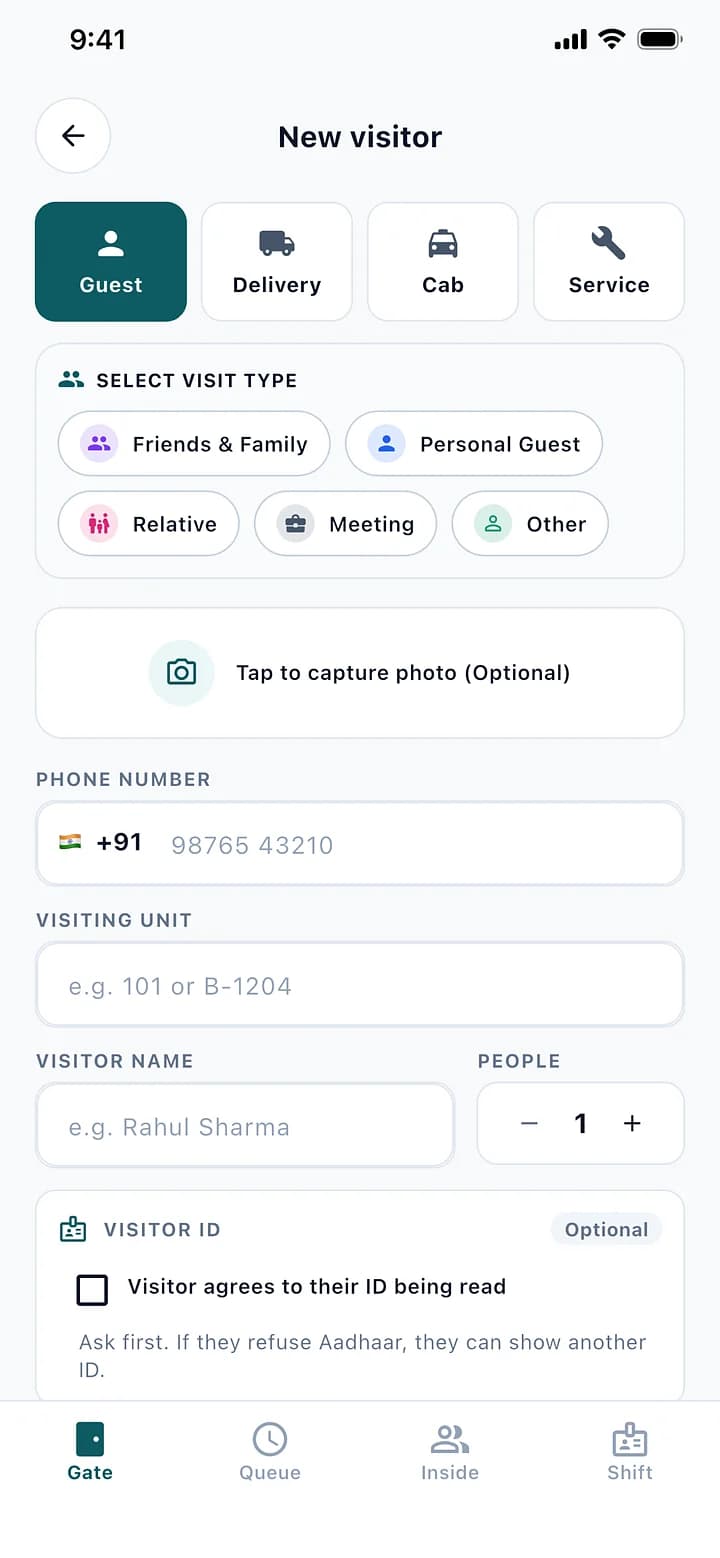
- The Guard Logs the Visit
- The Resident Approves
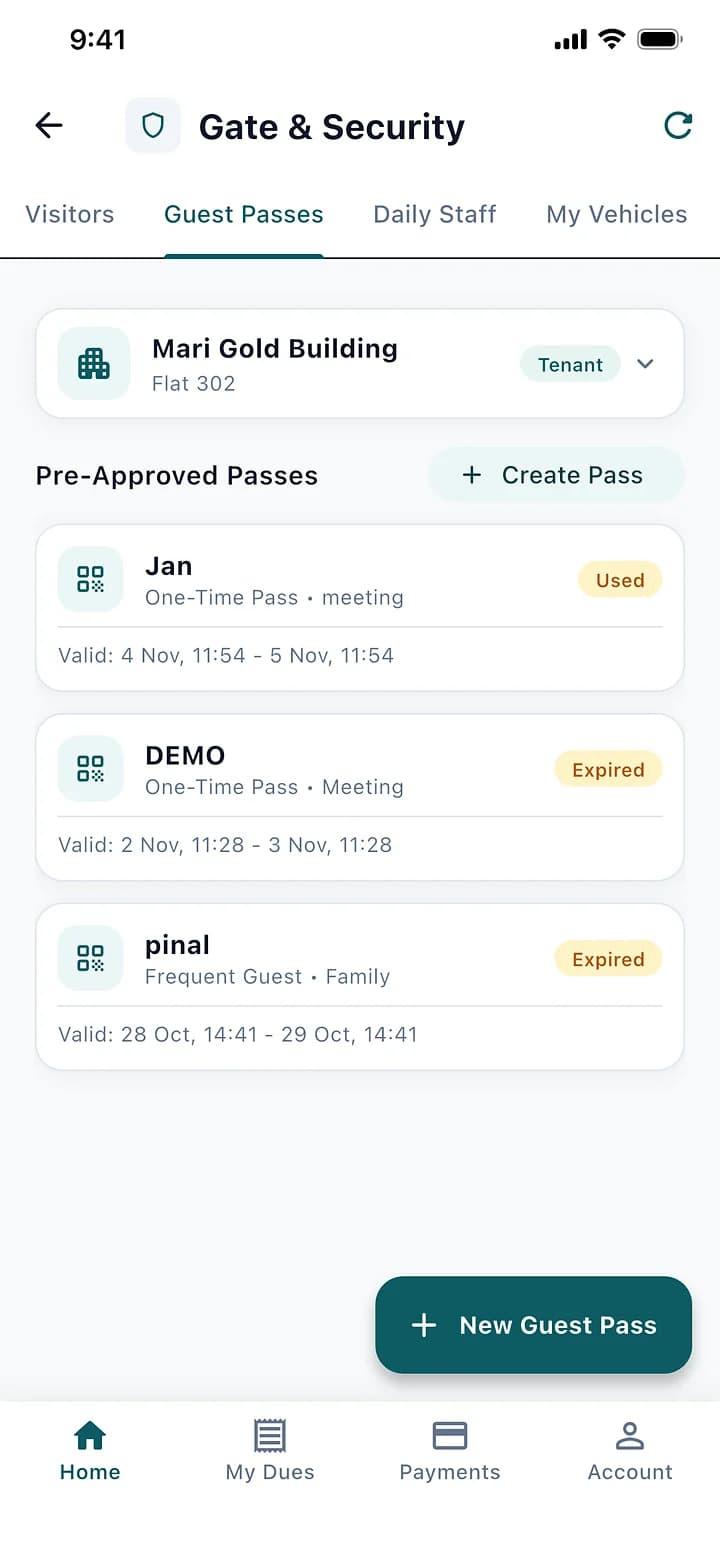
- Or Comes With a Pass
- ID Checked, Only 4 Digits Kept
01
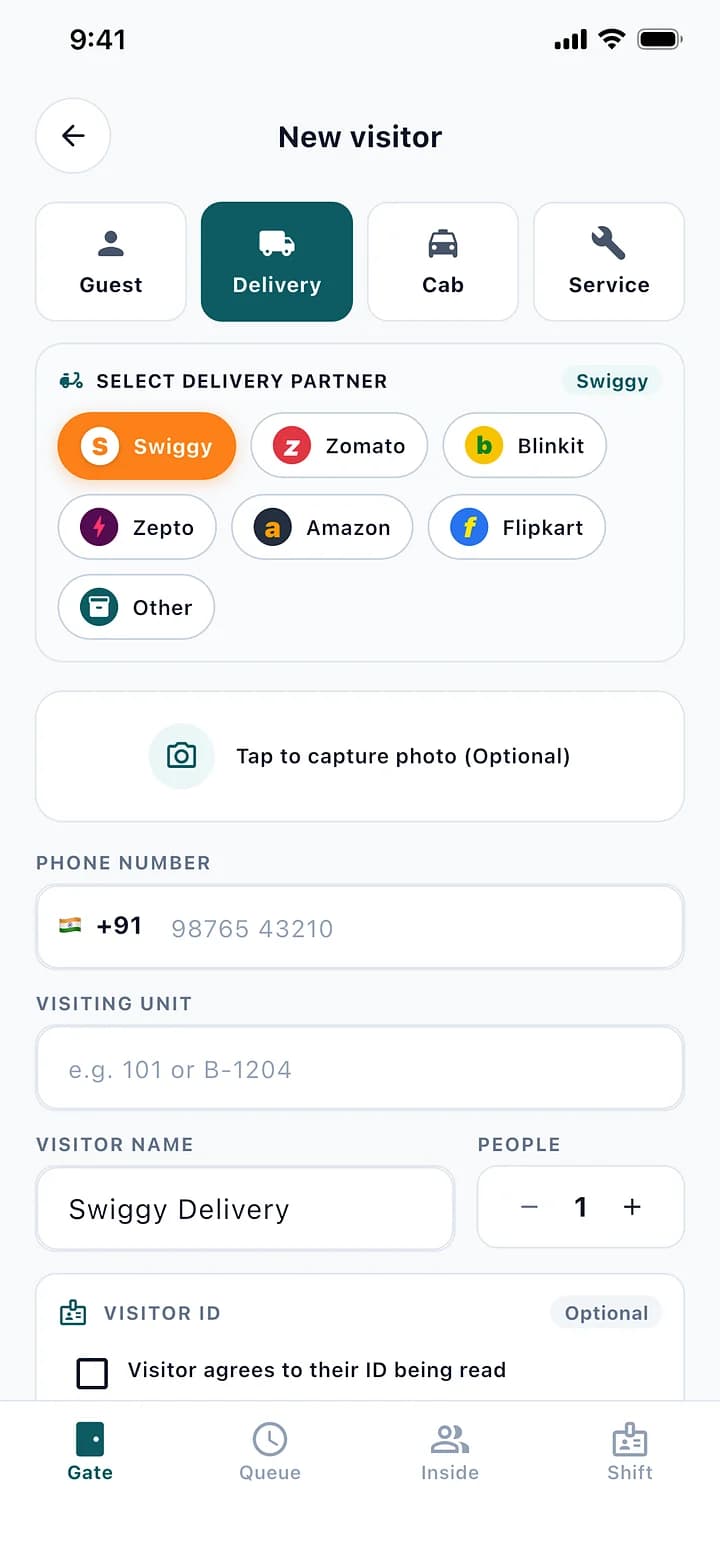
The Guard Logs the Visit
Guest, delivery, cab or service, with the flat and a photo if needed. Delivery and cab apps are one tap.
02
The Resident Approves
The request reaches the resident's phone. They allow or deny, and the guard sees it at once.
03
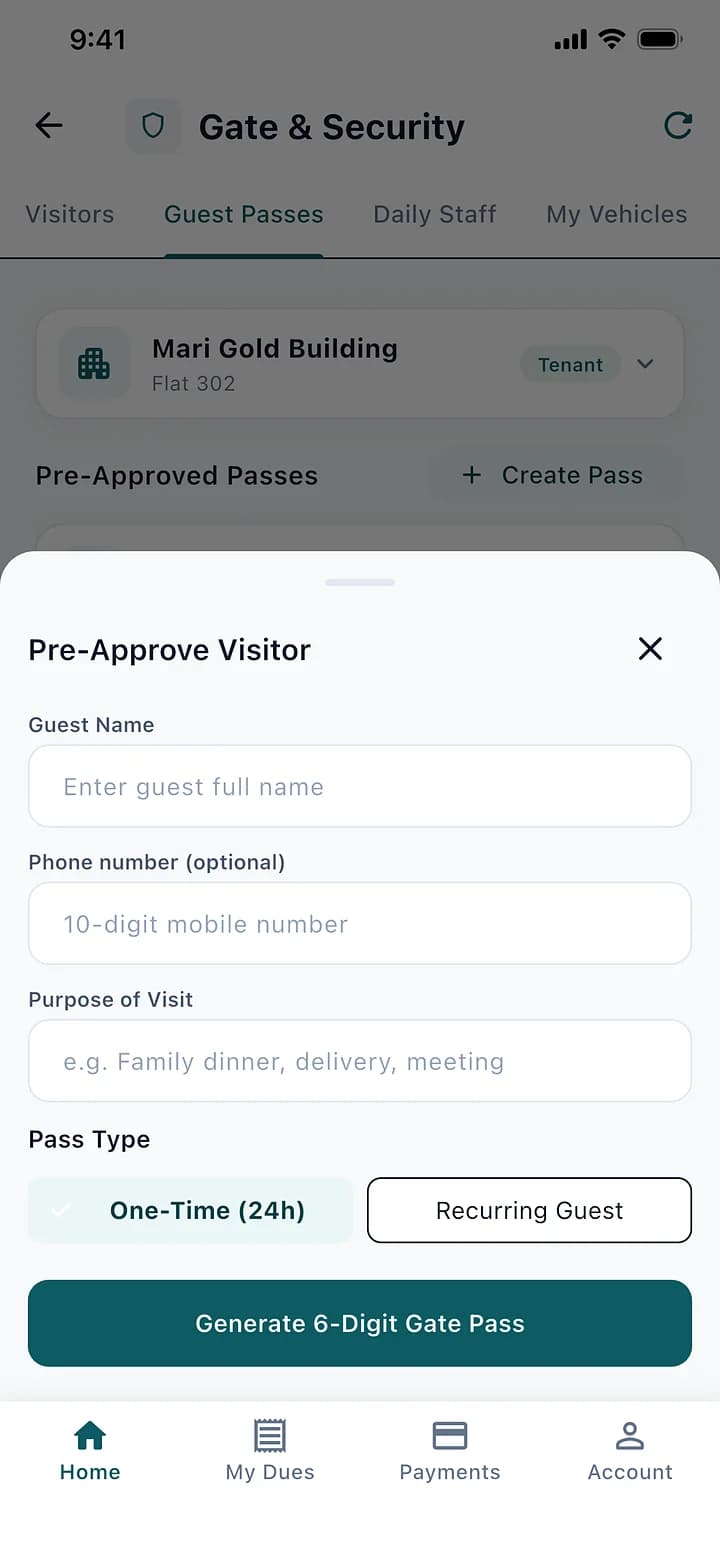
Or Comes With a Pass
Residents create one-time or recurring guest passes. The visitor shows a QR or a 6-digit code.
04
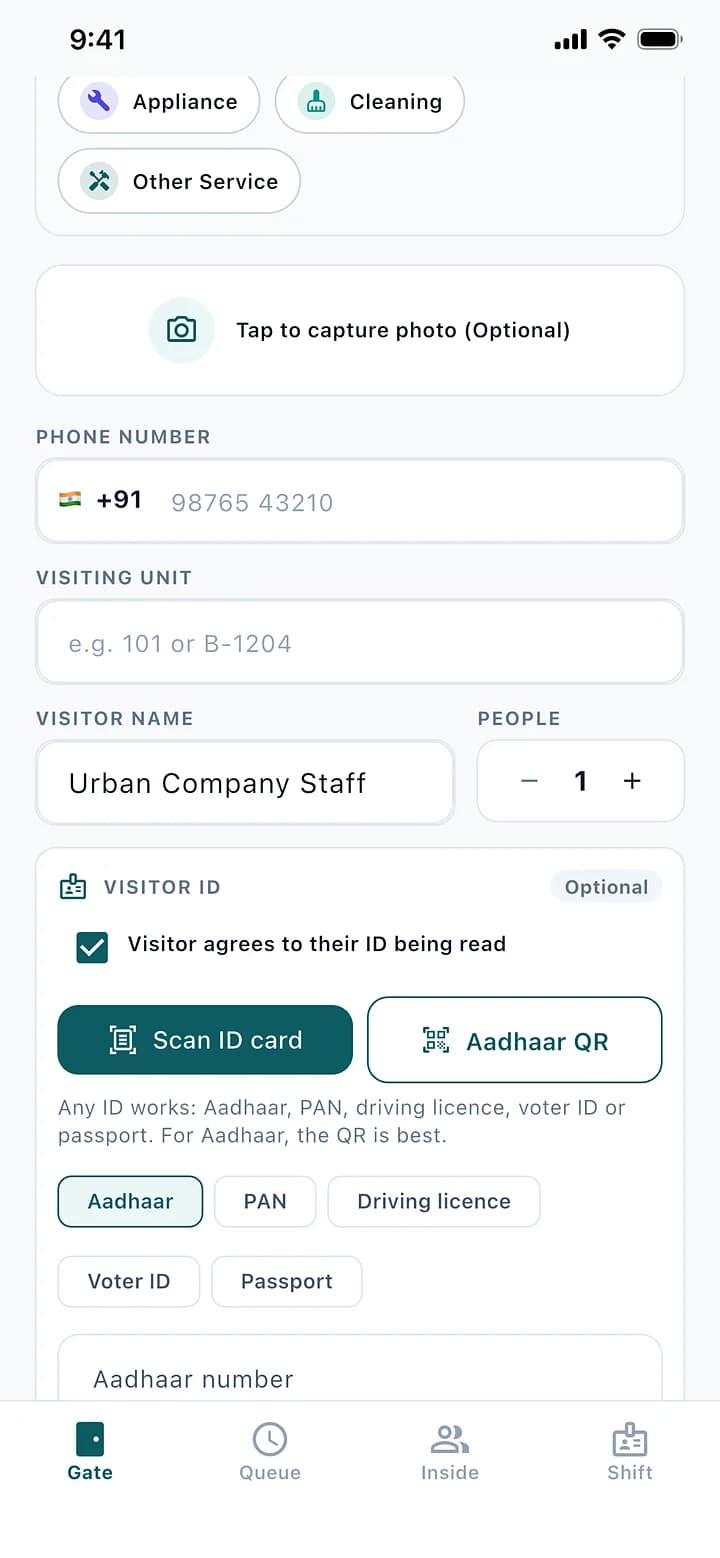
ID Checked, Only 4 Digits Kept
With the visitor's consent, the guard scans an Aadhaar QR or a PAN, licence or voter ID to fill the form. Only the type and last 4 digits are kept.
The Rules It Handles.
Built for how a society actually runs, so the office does not have to remember them.
A full ID number is never stored, nor a photo of the card
Passes can be one-time or recurring, for a set number of uses
Residents register their vehicles for faster entry
Every visit shows who allowed it and when
Visitor Management: Questions
Can't find what you are looking for? Talk to us and we will walk you through it.
No. Only the type of ID and its last 4 digits, and only with the visitor's consent.
Yes. They create a guest pass in the app, and the visitor shows its QR or 6-digit code at the gate.
Approving visitors and creating passes happen in the Livified app, on Android or iPhone.
See It With Your Own Society's Data.
A 30-minute walkthrough of your buildings, dues and gate. No obligation.
Book a Free DemoNext Feature
Guards and Daily Help