

Every Building, Flat and Shop In One List
Add your whole society in minutes, then see every unit's area, owner and occupancy at a glance.
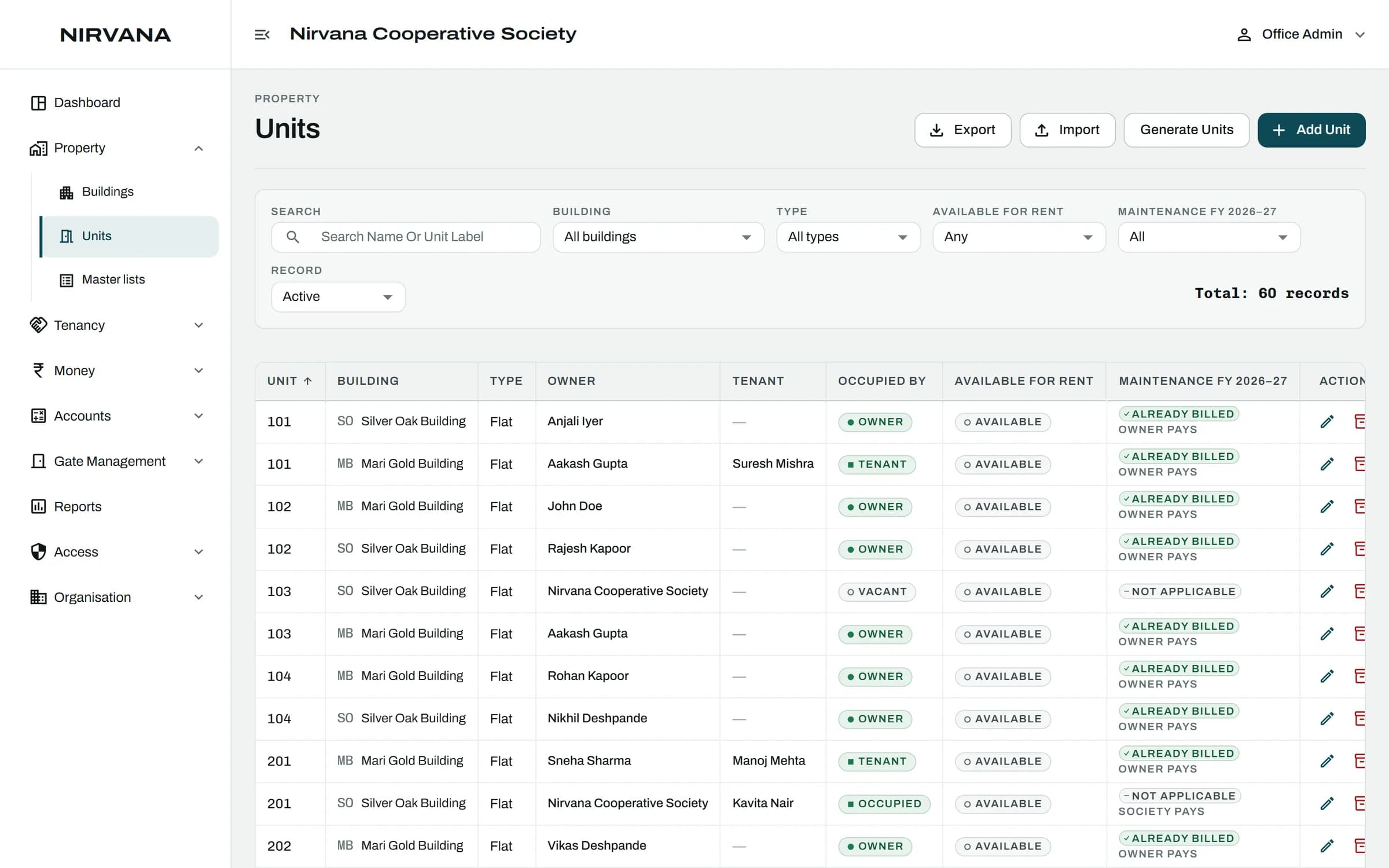
How It Works
- Add Your Buildings
- Generate Units Floor By Floor
- Open Any Unit For Its Full Story
01
Add Your Buildings
Each building keeps its own floors, units and maintenance rates.
02
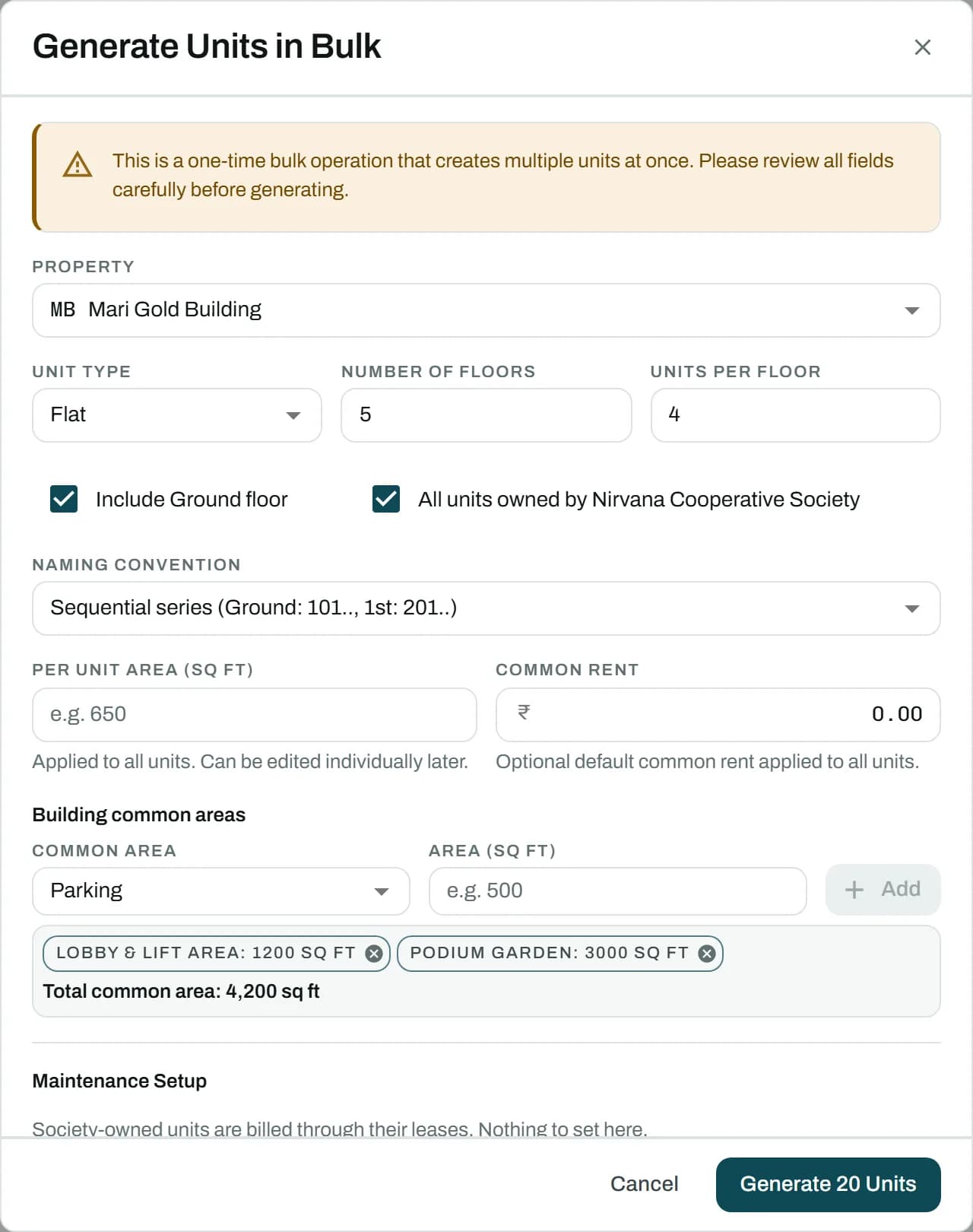
Generate Units Floor By Floor
Tell it the floors and how many flats on each, and every unit is created with its number. Or import your existing register from Excel.
03
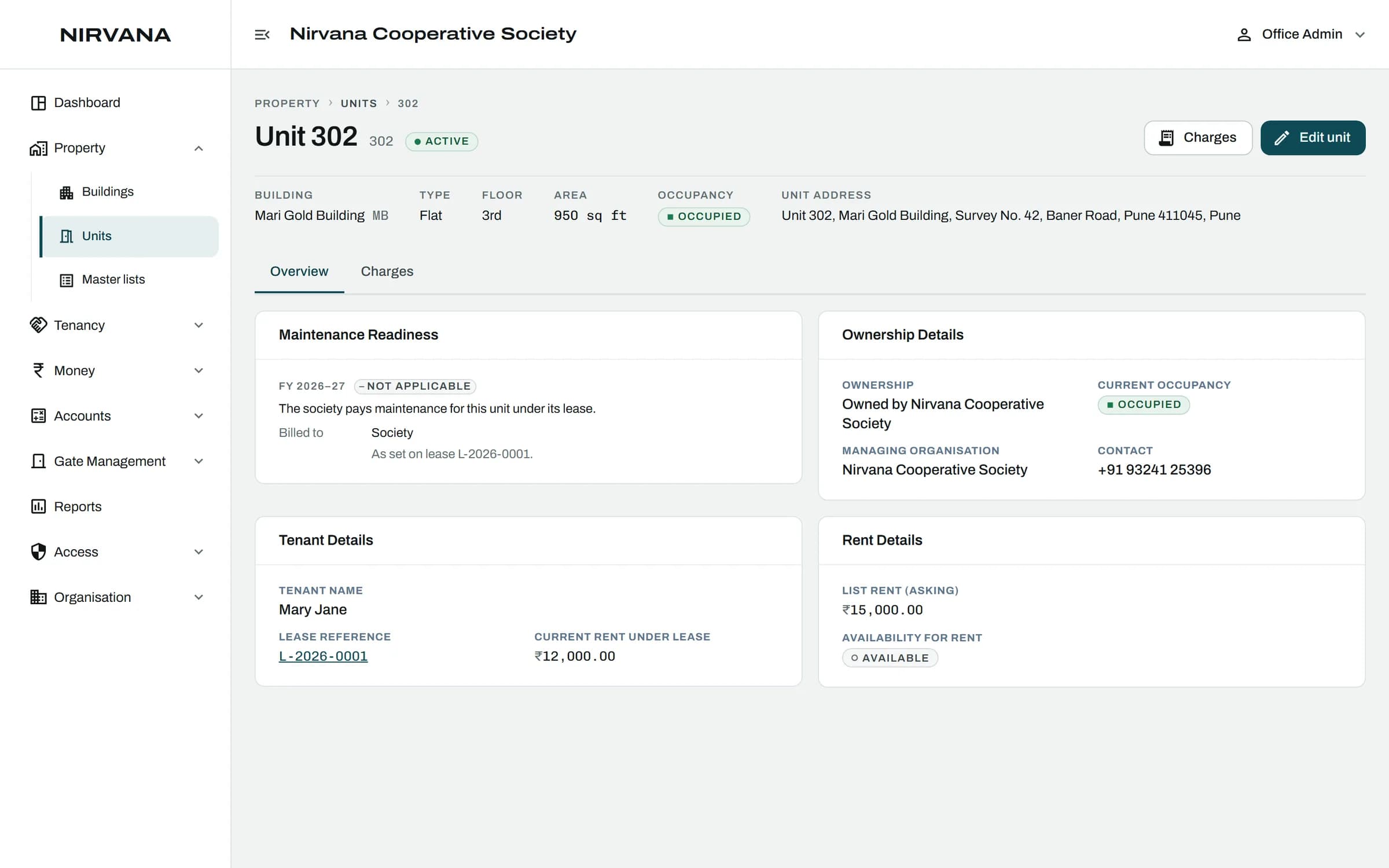
Open Any Unit For Its Full Story
Area, owner, who lives there now, its maintenance and every payment, on one screen.
The Rules It Handles.
Built for how a society actually runs, so the office does not have to remember them.
Flats, shops, offices and godowns side by side
Occupancy is worked out from the records, never typed in, so it is never out of date
A building with active units cannot be archived by mistake
Area is kept exactly, so maintenance by square foot comes out right

Buildings and Units: Questions
Can't find what you are looking for? Talk to us and we will walk you through it.
Yes. Each building has its own floors, units and maintenance rates. How many you can add depends on your plan.
Yes. Flats, shops, offices and godowns are all units, each with its own area and type.
See It With Your Own Society's Data.
A 30-minute walkthrough of your buildings, dues and gate. No obligation.
Book a Free DemoNext Feature
Owners and Tenants