

Ready For the Committee Meeting
Arrears, income, occupancy and collections, always up to date and ready to print.
How It Works
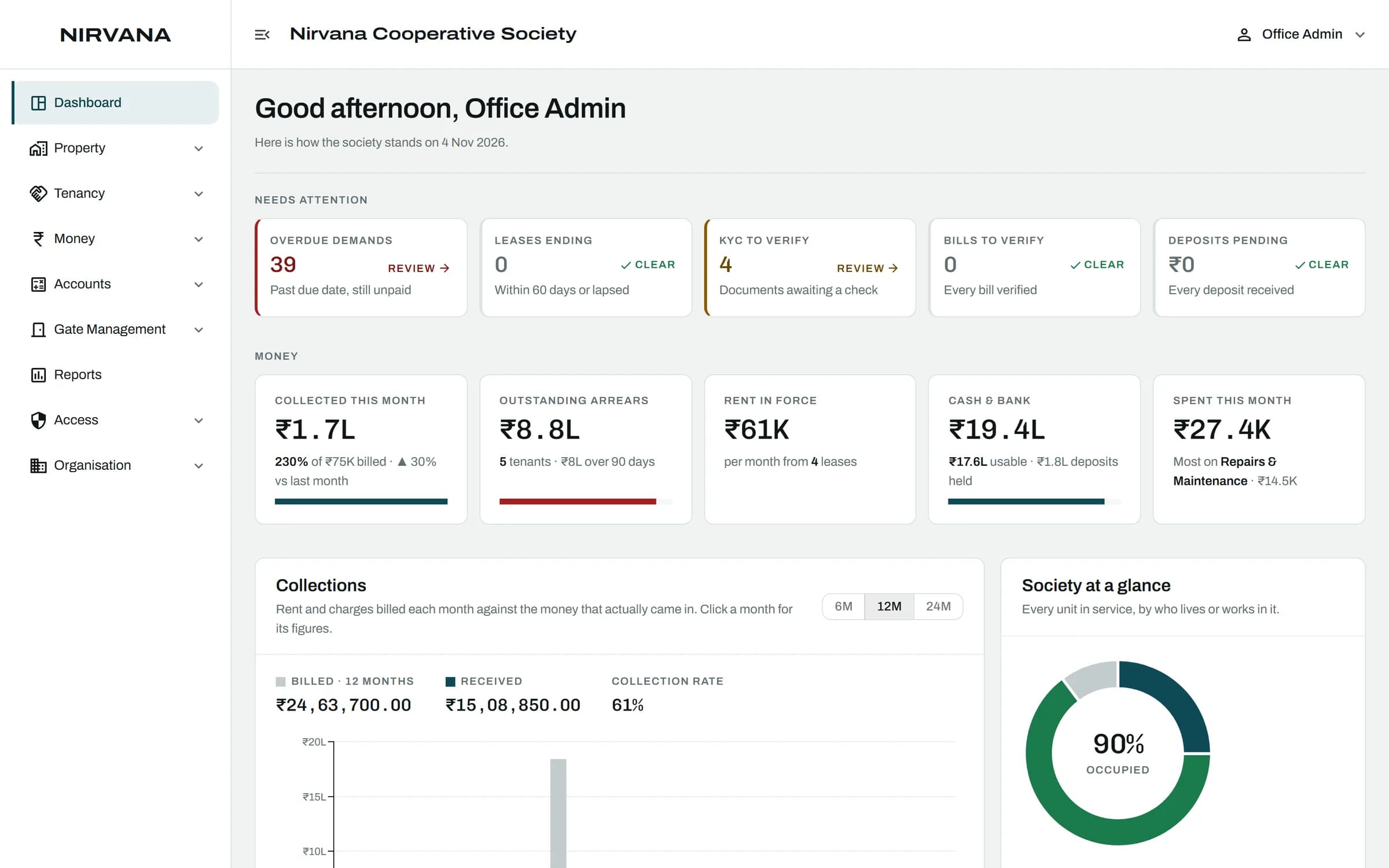
- The Dashboard
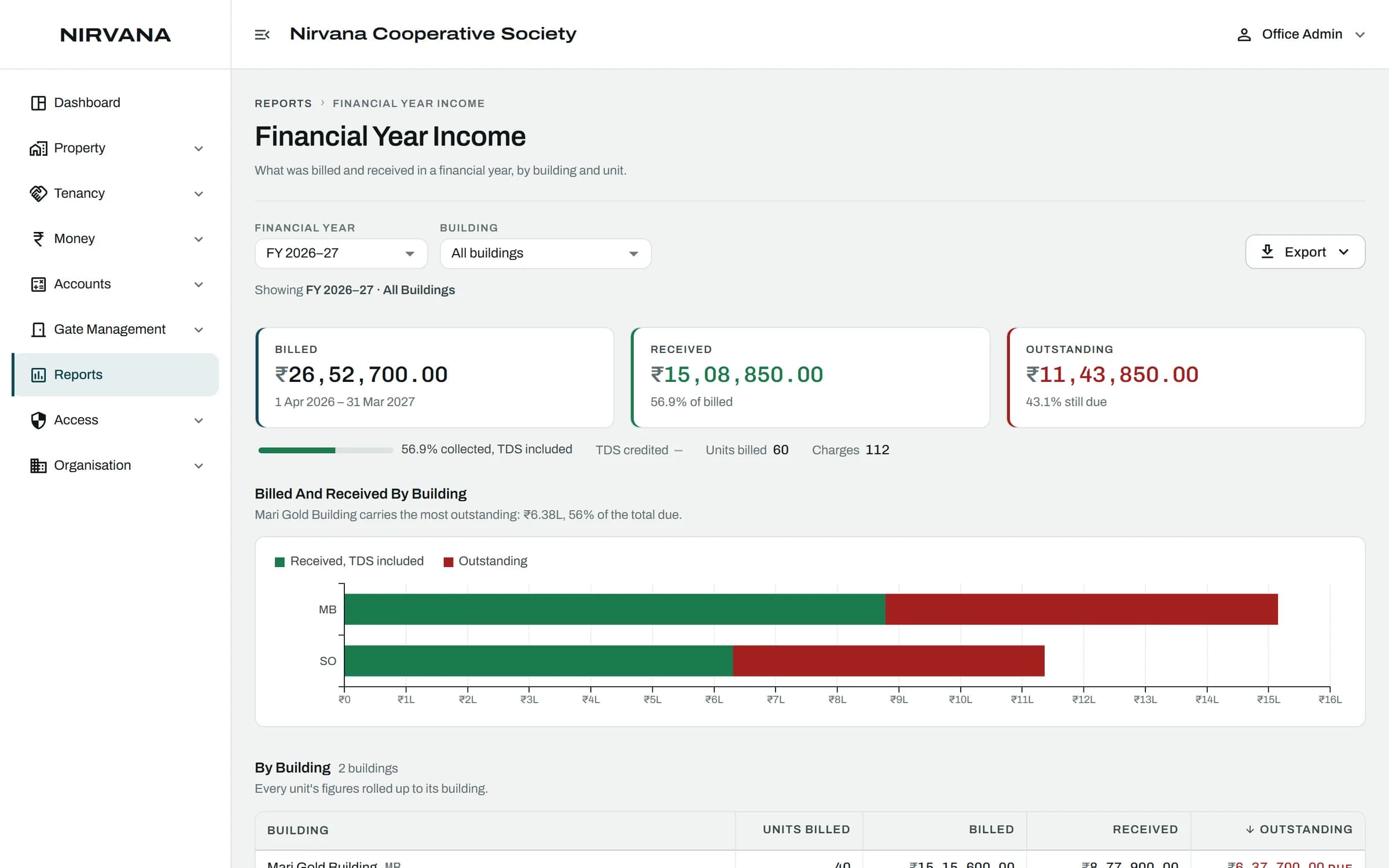
- Income For the Financial Year
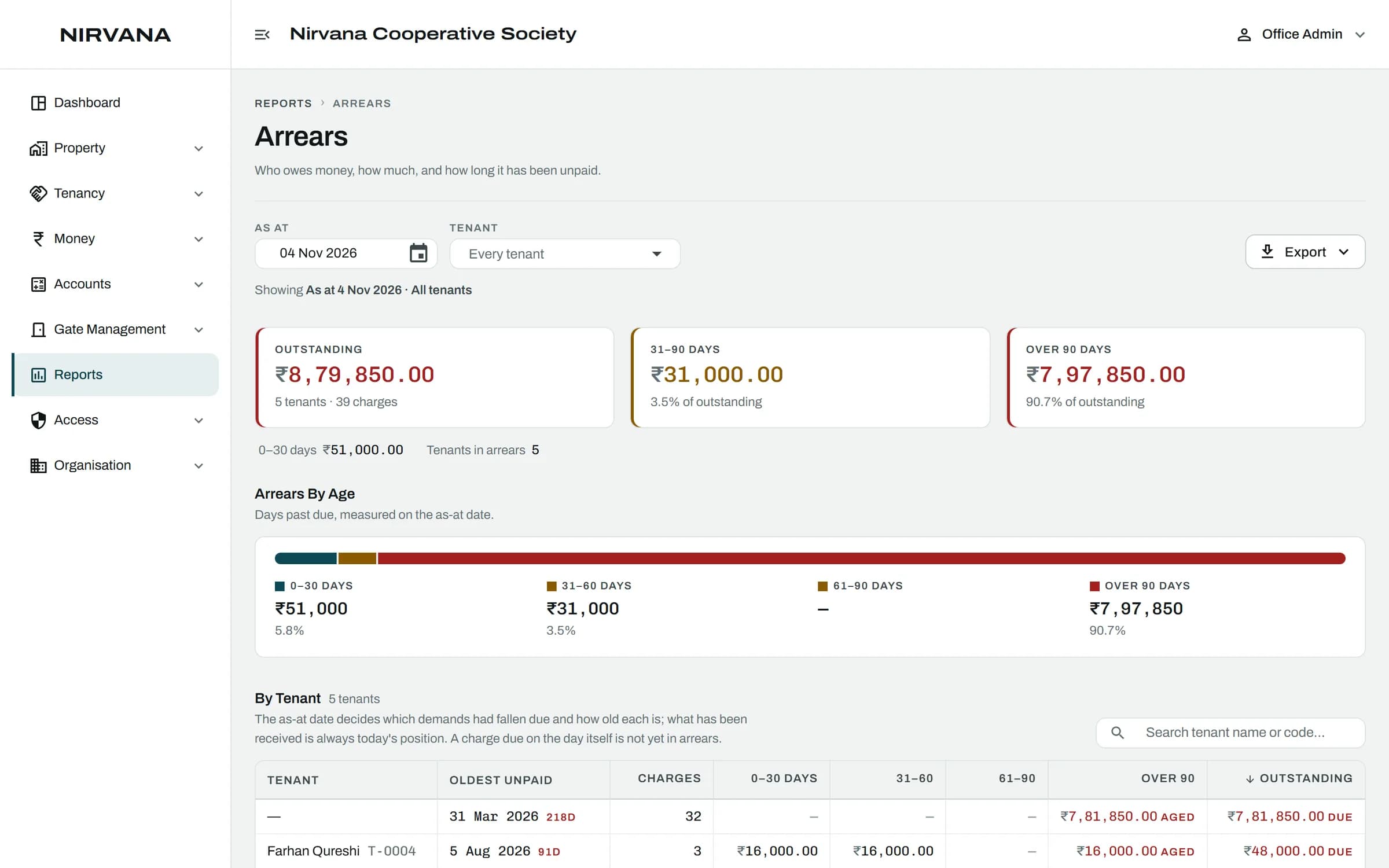
- Who Owes, and For How Long
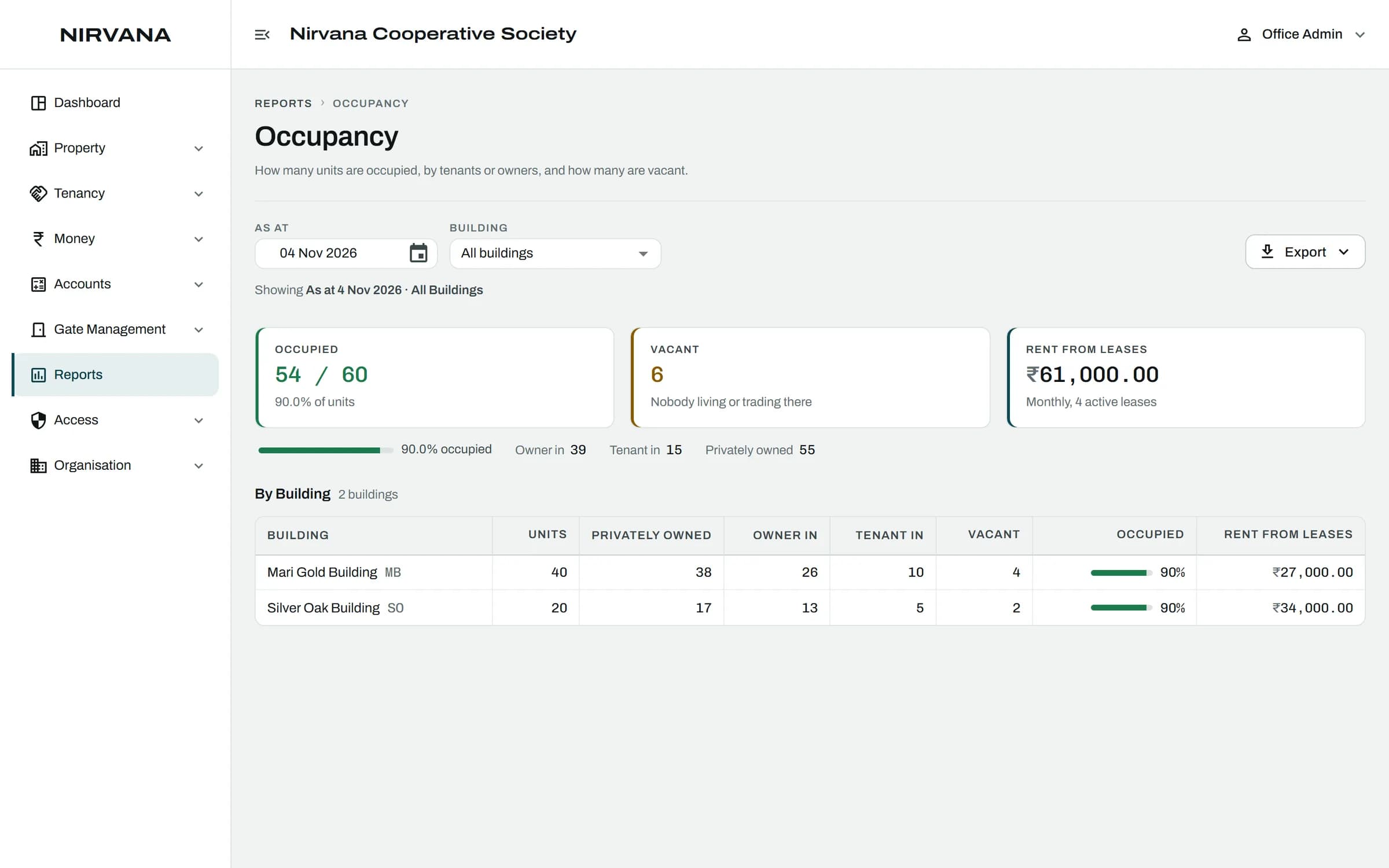
- Who Lives Where
01
The Dashboard
Collections, arrears and occupancy the moment you sign in.
02
Income For the Financial Year
What was billed and collected from April to March.
03
Who Owes, and For How Long
Arrears by flat and by age, so the oldest dues are chased first.
04
Who Lives Where
Occupancy and rent roll across every building.
The Rules It Handles.
Built for how a society actually runs, so the office does not have to remember them.
Every figure is worked out from the records, never typed in
Runs on the April to March financial year
Gate reports sit alongside: visitors, approvals, deliveries and more
Reports follow each person's access, like everything else

Reports and Dashboard: Questions
Can't find what you are looking for? Talk to us and we will walk you through it.
Always. Reports are worked out from the records when you open them.
Yes. Seven gate reports cover visitors, approvals, deliveries, emergencies, daily help, guards and activity.
See It With Your Own Society's Data.
A 30-minute walkthrough of your buildings, dues and gate. No obligation.
Book a Free DemoNext Feature
Gate Management