

A Name and a Time On Every Entry
Give each person only the access their job needs, and keep a record of everything anyone did.
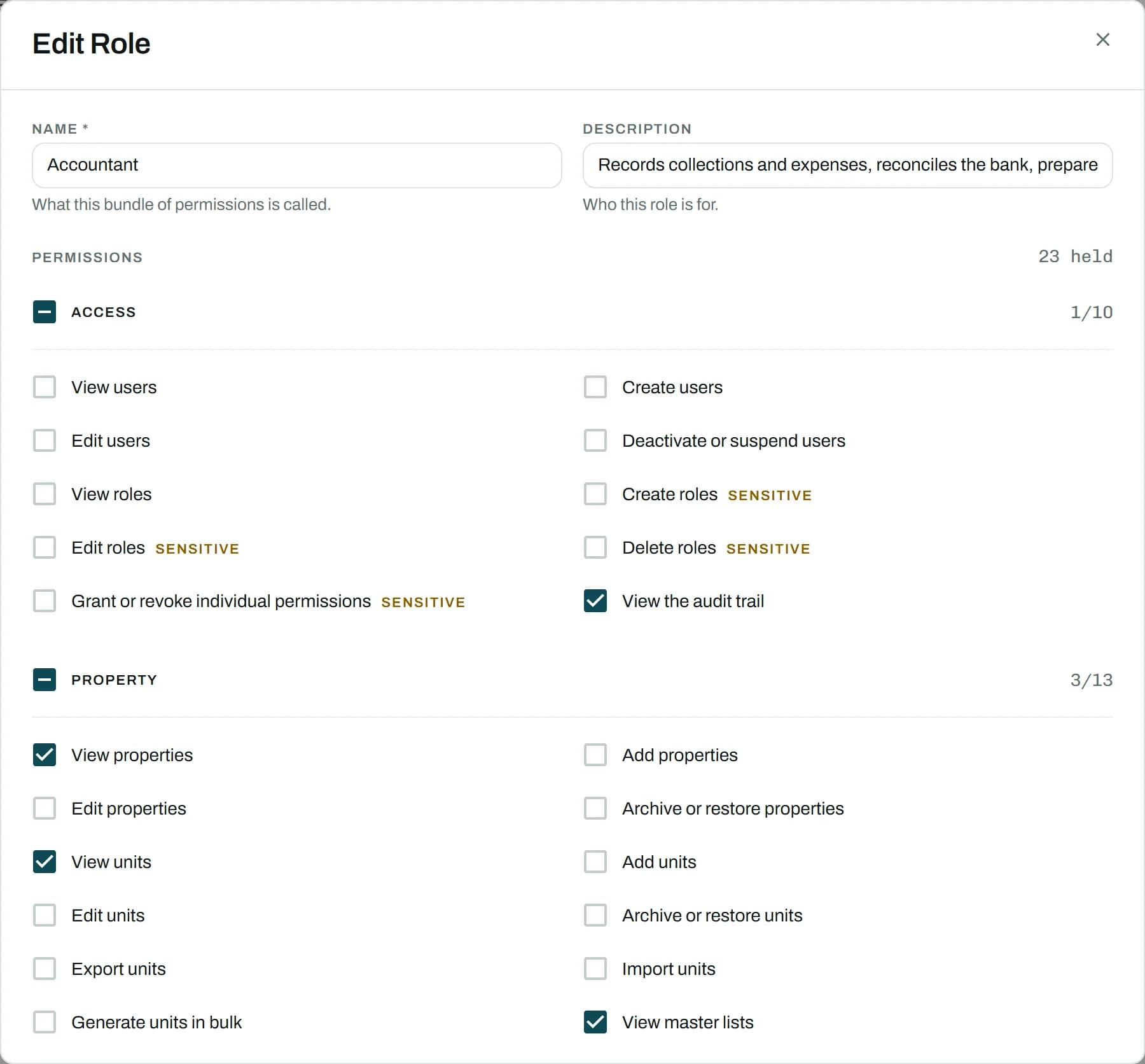
How It Works
- Build Roles That Fit
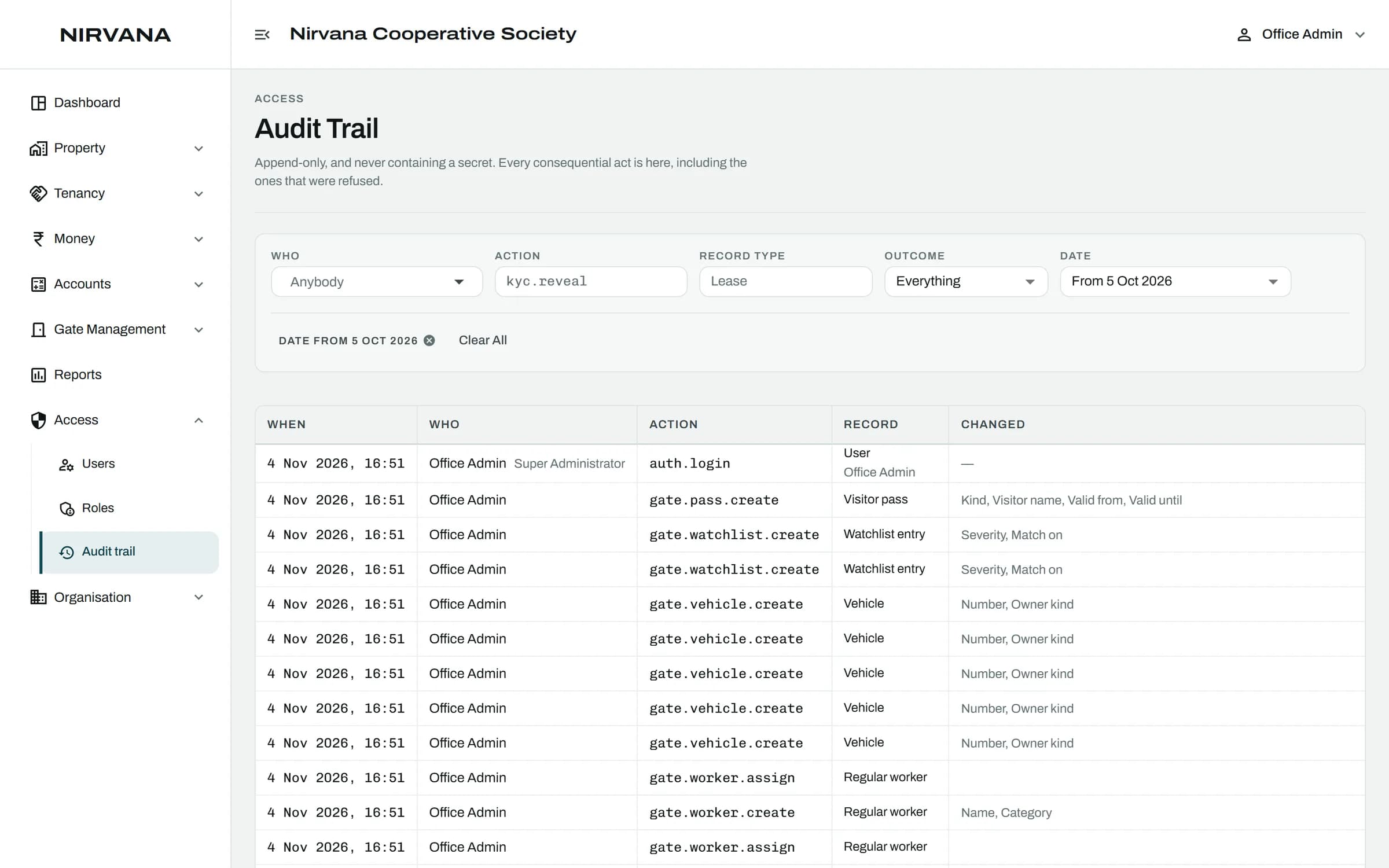
- Every Change Recorded
01
Build Roles That Fit
Start from the ready roles or build your own from the full list of permissions.
02
Every Change Recorded
Who did what, to which record, and when. The trail cannot be edited.
The Rules It Handles.
Built for how a society actually runs, so the office does not have to remember them.
Permission changes take effect at once, not at the next sign-in
Sensitive actions, like revealing an ID, need their own permission
Nothing is deleted; records are archived, voided or reversed
No passwords: staff sign in with a one-time code

Roles and Audit: Questions
Can't find what you are looking for? Talk to us and we will walk you through it.
No. It only grows, and it never contains a secret value.
The new members get their own accounts and roles. The full history stays.
See It With Your Own Society's Data.
A 30-minute walkthrough of your buildings, dues and gate. No obligation.
Book a Free DemoNext Feature
Buildings and Units